Making a professional presentation in 5 steps
- From Leave a Mark
- 07/31/2023
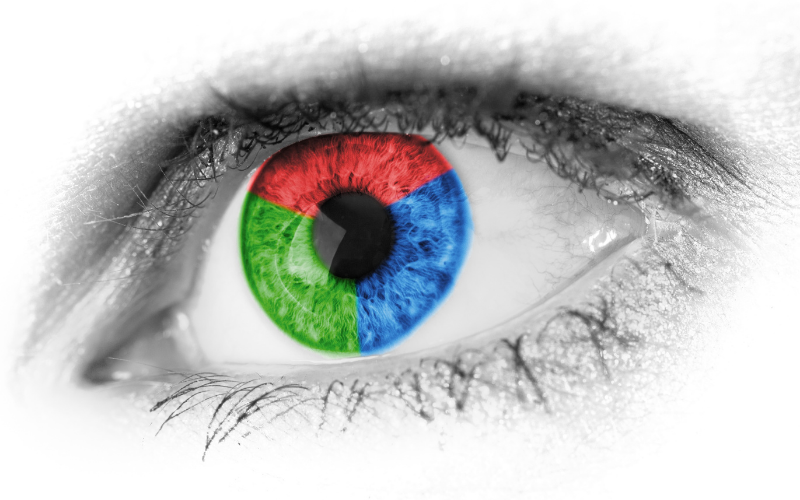
1. Colorfulness – Fun fact: The brain processes colors long before it processes text and images. To create a meaningful presentation that the brain can grasp and remember, it is essential to use colors. But how do you know which colors to use? A quick web search will show that companies from different industries tend to choose a dominant, primary color. For instance, medical companies often highlight green, while snack and pleasure brands feature red, and so on. Therefore, before choosing the leading color, it's crucial to understand the company's field of work.
2. Text and Fonts – Control your audience's information consumption by mastering the golden triangle of fonts – size, style, and weight. Playing with these three elements will the give you the power to draw focus to what you want your audience to remember.
Size – This implies we should choose the sentences or even just the significant words we want the audience to remember and enlarge them.
Style – With all due respect to the old classics, don't hesitate to explore new fonts that refresh the eye.
Weight – Every successful font should have at least three weights. Font weight means how thick or thin the text is. For example, use Light for running text, Medium for subheadings, and Bold for main titles. Now is probably the right time to bookmark this article.

3. Images – Sometimes a successful image in a presentation is the only thing people will remember. However, an abundance of images or an image in the slide with the text most crucial to us may cause the message to be forgotten! Images should serve your message, they should be interesting, memorable, and leave a mark. Here are three principles for choosing the right image:
Quality – A sharp image equals a clear message. Pay attention to choosing images with sufficient high-resolution.
Background – Prefer images with a transparent background, allowing your image to blend seamlessly alongside the text without overshadowing it.
Quantity – Choose quality over quantity. Instead of attaching an image to every sentence, opt for one powerful image that conveys the overall concept.
4. Bullets, Graphs, and Tables – Those slides that can never leave out even if you want. How do we take tons of data, multitudes of tables, percentages, numbers, and mountains of text and infuse them with life? We call it the art of datatelling.
Bullets – First step, embrace icons of bullets, for infographics have the power to replace words while conveying the message in a simple and eye-pleasing manner.
Graphs – The numbers are always there, but how can we present the same data in a sharper and clearer way? Ask yourselves – who is the target audience, and what is the graph there for? If you don't have the answer, this graph might be unnecessary. If you still decide to leave it, simplify the data and emphasize what is essential for the audience.
Tables – Tables can easily cause your audience to lose focus. Therefore, we advise sticking to the triple rule-of-thumb– enlarge, space, and align.

5. Composition – Your presentation is a work of art, and like any art, the placement of objects matters. The composition you choose will guide the viewer's eye and lead it to the important focal points. These are the four guiding principles for the composition in a presentation – hierarchy, division, uniformity, and alignment:
Hierarchy – A slide cannot convey too many messages, so we need to choose the message we want to convey and give them focus, while the rest of the details can be included in notes. controlling the hierarchy of messages should be done with the rule-of-thumb mentioned before: size, style, weight.
Division – This is the creative part that makes the final product we see on the screen. It's important to create a correct structure of division on each slide, not necessarily a uniform and symmetrical one, but one that is pleasing to the eye and highlights the essential message.
Uniformity – It's a bit tricky; on the one hand, we want a uniform and engaging presentation, but on the other, we don't want to bore the audience. The trick is to stick to the same language – keep a consistent font, colorfulness, and positioning throughout the presentation.
Alignment – This is the stage where we polish the slide, ensuring the images are not pixelated, texts are aligned, and margins are not missing.
In conclusion, we must remember that the presentation is not the goal; but rather a tool to serve us in telling our story. We believe that what truly matters in a presentation is the ability to tell a compelling, clear, and engaging story, with the presentation complementing your narrative.
Would you like to thoroughly learn all the steps, develop your toolkit and practice at your own pace?
Click here for our Visualtelling course >>
Sign up for the newsletter
אנו משתמשים בקובצי Cookie.
הם עוזרים לנו לייעל את חוויית המשתמש שלך ולנתח את התנועה שלנו. אתה שולט בנתונים שלך - ספר לנו מה אתה מרגיש בנוח איתו למטה.
אתרים שומרים עוגיות כדי לשפר את הפונקציות ולפרסונליזציה של החוויה שלך. אתה יכול לנהל את ההעדפות שלך, אך חסימת חלק מהעוגיות עלולה להשפיע על ביצועי האתר והשירותים.
עוגיות חיוניות מאפשרות פונקציות בסיסיות והן הכרחיות לפעולה התקינה של האתר.
EqualWeb is an accessibility widget and monitoring service that adds an on-page menu where visitors can adjust contrast, font size, cursor size, keyboard navigation and other display settings, and scans the site for WCAG and ADA compliance issues.
כתובת שירות: www.equalweb.com (opens in a new window)
Google reCAPTCHA עוזר להגן על אתרים מפני ספאם וניצול לרעה על ידי אימות אינטראקציות משתמשים באמצעות אתגרים.
Google Tag Manager מפשט את ניהול תגי השיווק באתר שלך ללא שינויים בקוד.
HubSpot היא פלטפורמת שיווק, מכירות ושירות לקוחות הכוללת הכל, המפשטת את צמיחת העסק.
WPForms הוא תוסף ידידותי למשתמש עבור WordPress ליצירת טפסים מותאמים אישית עם פונקציית גרירה ושחרור.
עוגיות סטטיסטיקה אוספות מידע באופן אנונימי. מידע זה מסייע לנו להבין כיצד המבקרים משתמשים באתר שלנו.
Google Analytics הוא כלי עוצמתי שעוקב ומנתח את תנועת האתר לצורך קבלת החלטות שיווקיות מושכלות.
כתובת שירות: policies.google.com (opens in a new window)
Hotjar הוא כלי ניתוח חזק שעוזר לך להבין את התנהגות המשתמשים באמצעות מפות חום והקלטות של סשנים.
LinkedIn היא פלטפורמת רשת מקצועית למבקשי עבודה, מעסיקים וחיבורים בתעשייה.
Clarity היא שירות ניתוח אתרים שעוקב ומדווח על תנועת האתר.
כתובת שירות: clarity.microsoft.com (opens in a new window)
Google reCAPTCHA helps protect websites from spam and abuse by verifying user interactions through challenges.
עוגיות שיווקיות משמשות לעקוב אחרי מבקרים באתרים. הכוונה היא להציג פרסומות הרלוונטיות ומעוררות עניין עבור המשתמש הפרטי.
HubSpot is an all-in-one marketing, sales, and customer service platform that streamlines business growth.
כתובת שירות: legal.hubspot.com (opens in a new window)
LinkedIn Insight היא שירות ניתוח נתוני אינטרנט שעוקב ומדווח על תנועת האתר.
כתובת שירות: www.linkedin.com (opens in a new window)
Taboola היא פלטפורמת גילוי תוכן שממליצה על מאמרים וסרטונים כדי לעודד את המשתמשים ברחבי האינטרנט.
פלטפורמת שיתוף וידאו למשתמשים להעלות, לצפות ולשתף סרטונים במגוון ז'אנרים ונושאים.
כתובת שירות: www.youtube.com (opens in a new window)
אאוטבריין היא פלטפורמת גילוי תוכן הממליצה על מאמרים וסרטונים כדי לעודד את המשתמשים ולהניע תנועה.
Google Ads היא פלטפורמת פרסום מקוונת המאפשרת לעסקים ליצור מודעות ממוקדות המוצגות בתוצאות החיפוש של Google ובאתרי שותפים.
כתובת שירות: policies.google.com (opens in a new window)
Facebook Pixel הוא שירות ניתוח אתרים שעוקב ומדווח על תנועת האתר.
כתובת שירות: www.facebook.com (opens in a new window)
אתה יכול למצוא מידע נוסף במדיניות העוגיות שלנו Cookie Policy ובמדיניות הפרטיות שלנו Privacy Policy.